Coupon Browser Extensions: Do They Really Work in 2026?
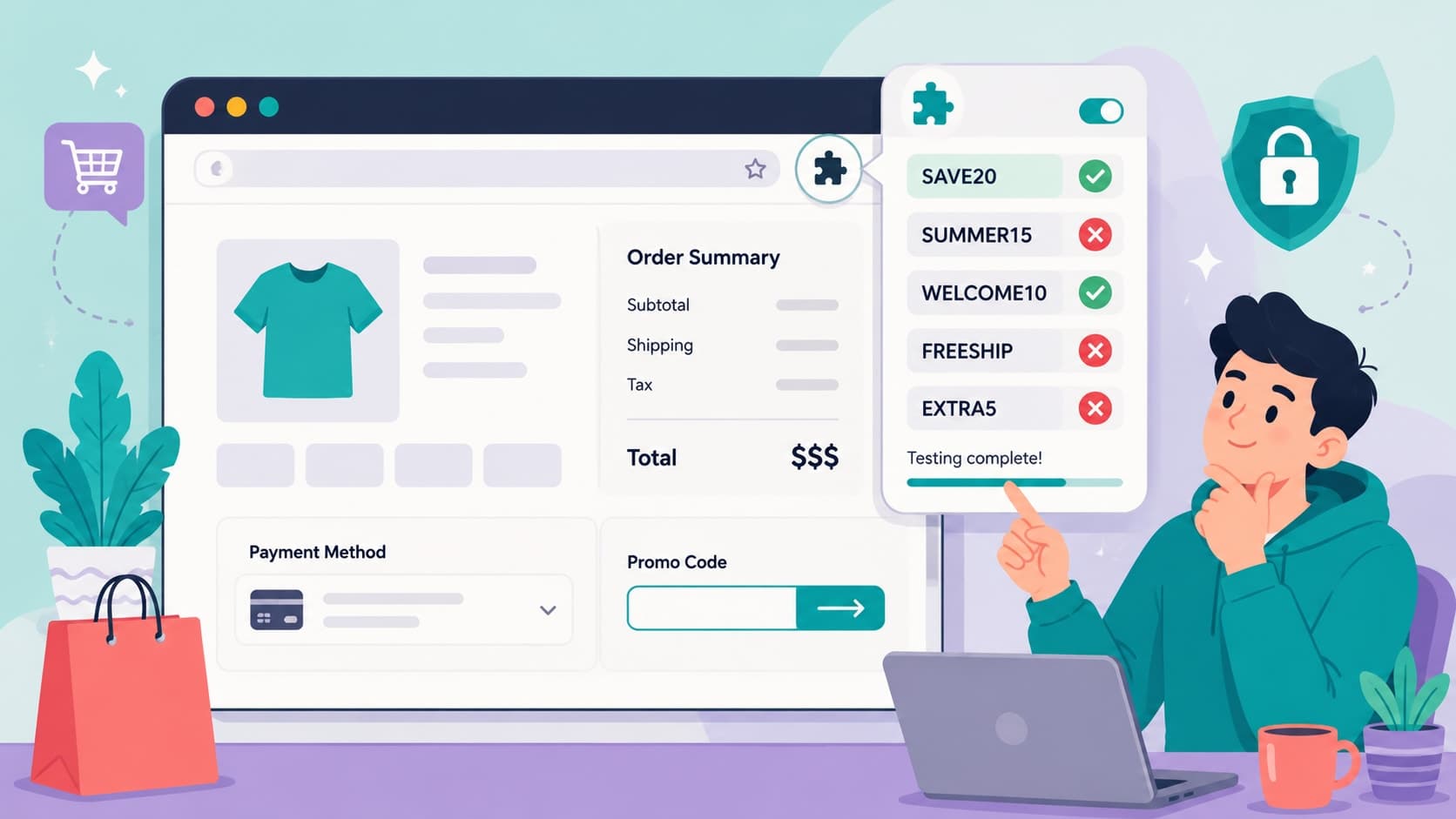
You know the moment. You're at checkout, and a cheerful little popup slides in from the corner of your browser: "Testing 14 codes…" The spinner spins, the codes flip past like a slot machine, and a few seconds later — ding! — "We found you a deal!" You feel like you just won something.
But here's the question almost nobody stops to ask: did that extension actually find you the best deal? Or did it just find a deal — while quietly doing a few other things behind the scenes that you never agreed to think about?
Coupon browser extensions are one of the most popular money-saving tools on the internet, with tens of millions of shoppers relying on them. And to be fair, they've earned that popularity: they're free, they're effortless, and they do save real money. But "popular" and "perfect" are not the same word. There are situations where an extension is brilliant, situations where it quietly costs you money, and situations where a dedicated coupon site will beat it every single time.
This guide walks through all of it: how these tools actually work under the hood, where they shine, where they fall short, what they know about your browsing habits, and how smart shoppers combine an extension with a coupon site to squeeze out every last dollar. No brand bashing, no fanboying — just the mechanics, the math, and the strategy.
How Coupon Extensions Actually Work (The Part Nobody Explains)
A coupon extension is a small piece of software that lives inside your browser — Chrome, Edge, Firefox, Safari, take your pick. Once installed, it watches the web addresses you visit. When it recognizes a shopping site, it wakes up. When it recognizes a checkout page, it gets to work.
Here's the play-by-play of what happens when you click that "Try codes" button:
Step 1: Recognition. The extension identifies the store you're on and pulls a list of known codes for that store from its database. That database is built from codes the company collects, codes submitted by users, and codes scraped from around the web.
Step 2: Auto-testing. The extension programmatically pastes each code into the promo box, submits it, and reads the result — exactly what you'd do by hand, just at robot speed. Invalid? Next code. Valid? It records the discount amount.
Step 3: The winner. After running the list, it applies whichever code produced the biggest discount and shows you the celebration screen.
So far, so good. It's genuinely clever automation, and when the database has a working code, you save money with zero effort.
But there's a second mechanism running alongside the coupon testing, and it's the one that pays the bills: affiliate commissions. When the extension activates at a store, it typically registers itself as the "referrer" of your purchase. The store then pays the extension company a commission — usually 1% to 10% of your order — for "sending" you there. That's how a free extension can afford to exist. You don't pay anything directly; the store pays on your behalf.
Keep that commission model in mind. It explains almost everything else in this article — the good, the meh, and the fine print.
The Case For Extensions: Where They Genuinely Shine
They Fix the Biggest Couponing Problem: Forgetting
Let's be honest about human nature. The number one reason people pay full price isn't that codes don't exist — it's that we forget to look for them. We're tired, the cart is full, the "Place Order" button is right there.
An extension removes forgetting from the equation. It pops up whether you remember or not. For that reason alone, having one installed is better than having nothing, the same way a smoke detector beats "I'll probably smell it."
They're Fast
Testing ten codes by hand takes a few minutes and a small piece of your soul. An extension does it in fifteen seconds. If your time matters to you — and it should — that speed is worth something real.
Some Bundle Cash Back
Many extensions layer a cash back program on top of coupon testing: activate the offer, buy as usual, and a percentage of your purchase comes back to you weeks later. Since the extension is earning a commission on your order anyway, sharing a slice of it with you is good business for everyone. If you're going to have an extension installed, one that pays you back is strictly better than one that doesn't.
Realistic best-case math for an extension user on a $120 order:
Extension finds a 15% code → $102
Extension's cash back offer pays 3% → effectively $98.94
Total saved: $21.06, for roughly fifteen seconds of not-even-effort
When it works, it really works. Now for the other side of the ledger.
The Case Against: Four Things the Popup Doesn't Mention
1. The Database Is Often Shallow — or Stale
An extension can only test the codes it knows about. Its database skews toward codes that are public, widely shared, and generic — which are exactly the codes most likely to be expired, capped, or mediocre. What it usually doesn't have:
Email-exclusive codes — the 20% welcome offer sitting in a store's newsletter
Partner and exclusive codes — deals negotiated directly between a store and a specific coupon platform
App-only and social codes — offers that never touch a public database
Fresh flash codes — a code launched this morning may take days to reach an extension's list
So "we tested 14 codes and found nothing" doesn't mean no code exists. It means no code existed in that database. Those are very different sentences, and confusing them is where shoppers lose money.
2. "Best Code Found" Means Best Code It Found
Even when an extension does find a working code, it applies the best one from its list. If a stronger exclusive code is live on a dedicated coupon site — say, 25% versus the extension's 10% — the extension will still declare victory at 10%, confetti and all. The popup's confidence is not evidence. On a $200 cart, that confidence gap is $30.
3. The Privacy Trade
Here's the part worth reading slowly. For an extension to know you're on a checkout page, it needs permission to see the pages you visit. Depending on the extension and its settings, that can include:
Your browsing history across shopping sites — which stores, which products, how often
Your cart contents and order values — it reads the checkout page, remember
Purchase patterns over time — data that's valuable to advertisers and market-research buyers
Reputable extensions disclose this in their privacy policies and anonymize what they collect. Less reputable ones… disclose it in their privacy policies and hope you never read page nine. Either way, the trade is real: you're paying for convenience with data. That might be a trade you're happy to make! Plenty of people are. But it should be a decision, not a default.
Compare that with looking up a code on a coupon website: you visit a page, you copy a code, you leave. Nothing is installed, nothing rides along in your browser, nothing watches your next hundred shopping sessions.
4. The Cookie Elbow
One more piece of inside baseball: affiliate cookie overwriting. Suppose a blogger you love reviews a product, you click their link, and you buy. That blogger earned a commission. But if your extension pops up at checkout and you click its button, the extension may register itself as the last referrer — elbowing in and taking the commission instead, sometimes without applying any discount at all.
Does this cost you money? Usually not directly. But it's worth knowing that clicking "Apply codes" isn't always a neutral act, and that a popup offering "$0.00 in savings found — activate anyway?" is mostly asking permission to claim your purchase, not to help you.
When a Dedicated Coupon Site Beats an Extension
If extensions are the smoke detector, a good coupon site is the fire inspection: more deliberate, and it catches what the detector can't. Here's where the site wins:
Exclusive codes. Stores negotiate special offers with coupon platforms that never enter an extension database. These are frequently the deepest discounts available for a store.
Human verification. Quality coupon sites test codes and show when each was last verified, with terms spelled out. An extension shows you a spinner; a site shows you receipts.
Deal context. A store page on a coupon site shows the whole picture — every live code, current sales, free shipping thresholds, seasonal promotions — so you can pick the best combination instead of accepting whatever auto-applied first. Browse Lyfestic's store directory before checkout and you'll see everything a store is running right now on one page.
Zero installation. No permissions, no background process, no data collection riding shotgun on every browsing session.
The stores extensions miss. Extensions cover big retailers well and smaller merchants poorly. Coupon sites routinely list codes for niche stores an extension has never heard of.
The $30 lesson, in numbers. You're buying a $200 standing desk:
Extension only: finds a public 10% code → you pay $180
Coupon site check: surfaces an exclusive 25% code → you pay $150
The forty-second visit to the coupon site was worth $30 — a rate of about $2,700 per hour
The Real Answer: Use Both, in the Right Order
This isn't actually a cage match. The strongest setup uses each tool for what it's best at. Here's the routine:
Step 1: Check a coupon site first. Before checkout, look up the store on a verified coupon platform and note the best live code, including any exclusives. This is your benchmark.
Step 2: Let the extension run. At checkout, let it test its database. Sometimes it surprises you with a code the site didn't have.
Step 3: Compare and keep the winner. If the extension's result beats your benchmark, great. If not, clear it and enter the stronger code by hand. The promo box doesn't care who typed the code.
Step 4: Take the cash back either way. If your extension offers cash back, activate it after your best code is applied. Codes and cash back usually stack — that's a percentage back on an already-discounted total.
Total added time per order: about a minute. Over a year of online shopping — the average American household spends several thousand dollars online annually — that minute-per-order habit routinely adds up to hundreds of dollars kept instead of spent.
Mistakes to Avoid With Coupon Extensions
Even with a good setup, a few habits quietly leak money. Watch for these:
Treating "no codes found" as the final word. It's the extension's final word, not the internet's. A quick check on a coupon site regularly finds codes the database missed — especially exclusives.
Installing three extensions "for coverage." They'll fight over the same promo box and the same referral cookie, slow your browser down, and triple your data exposure. One good extension plus one good coupon site beats a browser full of popups.
Skipping the permissions screen. Before installing anything, look at what it asks for and skim the privacy policy for the words "sell," "share," and "partners." Two minutes of reading tells you exactly what the free lunch costs.
Installing look-alike extensions. Copycats with names one letter off from famous tools show up in extension stores regularly, and some exist purely to harvest data. Check the developer name, the user count, and the reviews before you click install.
Letting the popup upsell you. "You're $18 away from unlocking this deal!" is a spending prompt wearing a savings costume. Adding $18 of stuff you don't want to save $10 is a $8 loss with extra steps.
Never auditing the thing. Once a quarter, ask: is this extension still finding codes for me? If it's been months of empty spinners, it's not a savings tool anymore — it's just a data pipe with a cute icon.
Frequently Asked Questions
Are coupon browser extensions safe to use?
The established, widely used ones are generally safe in the security sense — they won't infect your computer. The real consideration is privacy: most need visibility into your shopping activity to work, and their business runs on affiliate commissions and, in some cases, aggregated shopping data. Read the permissions and privacy policy, install only from official browser stores, and stick to well-known developers.
Do coupon extensions really find working codes?
Yes, often — especially at large, popular retailers where their databases are deepest. But they miss exclusive codes, email-only offers, and codes for smaller stores. Think of an extension as a solid first attempt, not a guarantee that no better deal exists.
Why did my extension say it saved me money when the discount was tiny?
The extension reports the best result from its own database, and it celebrates any success equally. A $2 win gets the same confetti as a $40 win. That's why comparing against a verified coupon site's best code takes the popup's word out of the equation.
Is it free to use these extensions, or is there a catch?
They're free to you. The extension company earns a commission from the store when your purchase is tracked to them — the same store-paid model legitimate coupon websites use. The "cost," such as it is, comes in the form of the browsing data the extension can see. No legitimate coupon tool, extension or website, will ever ask you to pay to unlock a code.
Should I use a coupon extension or a coupon website?
Both, in sequence. Check a coupon site like Lyfestic for the store's best verified and exclusive codes first, then let your extension test its database at checkout, and keep whichever discount is bigger. The site catches the deep and exclusive deals; the extension catches your forgetful days. Together they cover each other's blind spots.
The Verdict: Great Sidekick, Questionable Hero
So, do coupon extensions really work? Yes — as one tool in the kit. They're the safety net that saves you on the days you forget to look, and the honest ones with cash back put real dollars back in your pocket. But the spinner-and-confetti show can lull you into believing the search is over when it's barely started. The best codes — the exclusives, the fresh drops, the email-tier offers — live outside the popup.
Install one good extension if the privacy trade sits right with you. Read what it asks for. And before any purchase that isn't pocket change, spend the extra forty seconds checking a verified coupon source. The popup works for its commission; make sure somebody in that checkout is working for you.
Don't let the popup have the last word.
Look up your store's verified codes before your next checkout, and browse the latest promotions to catch the exclusive deals no extension database carries.
Happy saving! 🛍️
Related Articles
Explore more articles you might like